
Try the configurator yourself, or see real screenshots below from an active Stepconfigurator installation at a scooter shop.
This is a working demo of the plugin. Click through the steps, make choices and see the price update instantly.
Below you see the Stepconfigurator plugin running live on scootercenterkers.nl. The plugin matches the colors to your own webshop theme, which happens to be yellow at Scootercenter. In your webshop that could be any color you want.
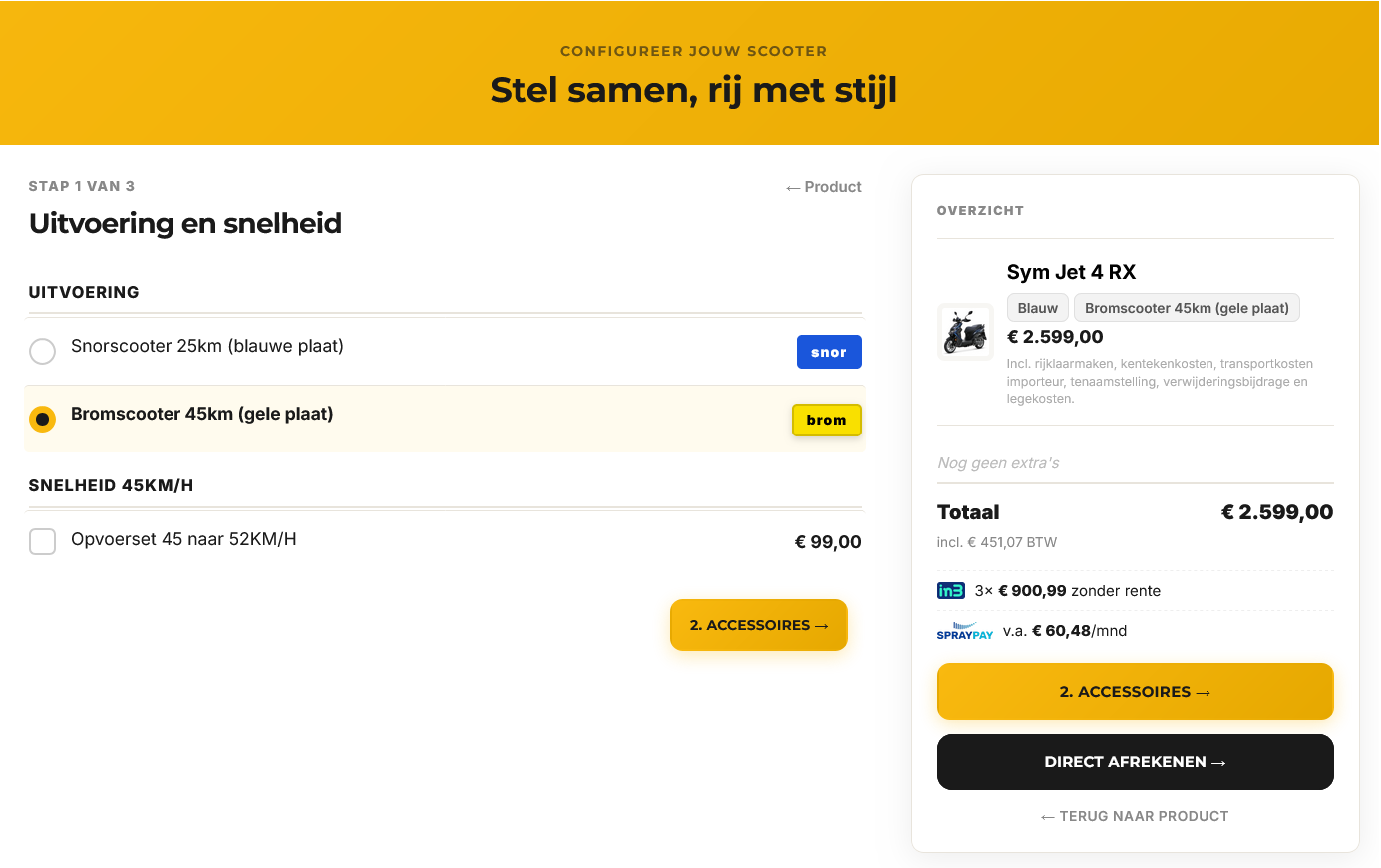
Customers start with the most important choice: the product type. The selected item highlights instantly, the sidebar on the right shows the starting price and iDEAL in3 instalments.
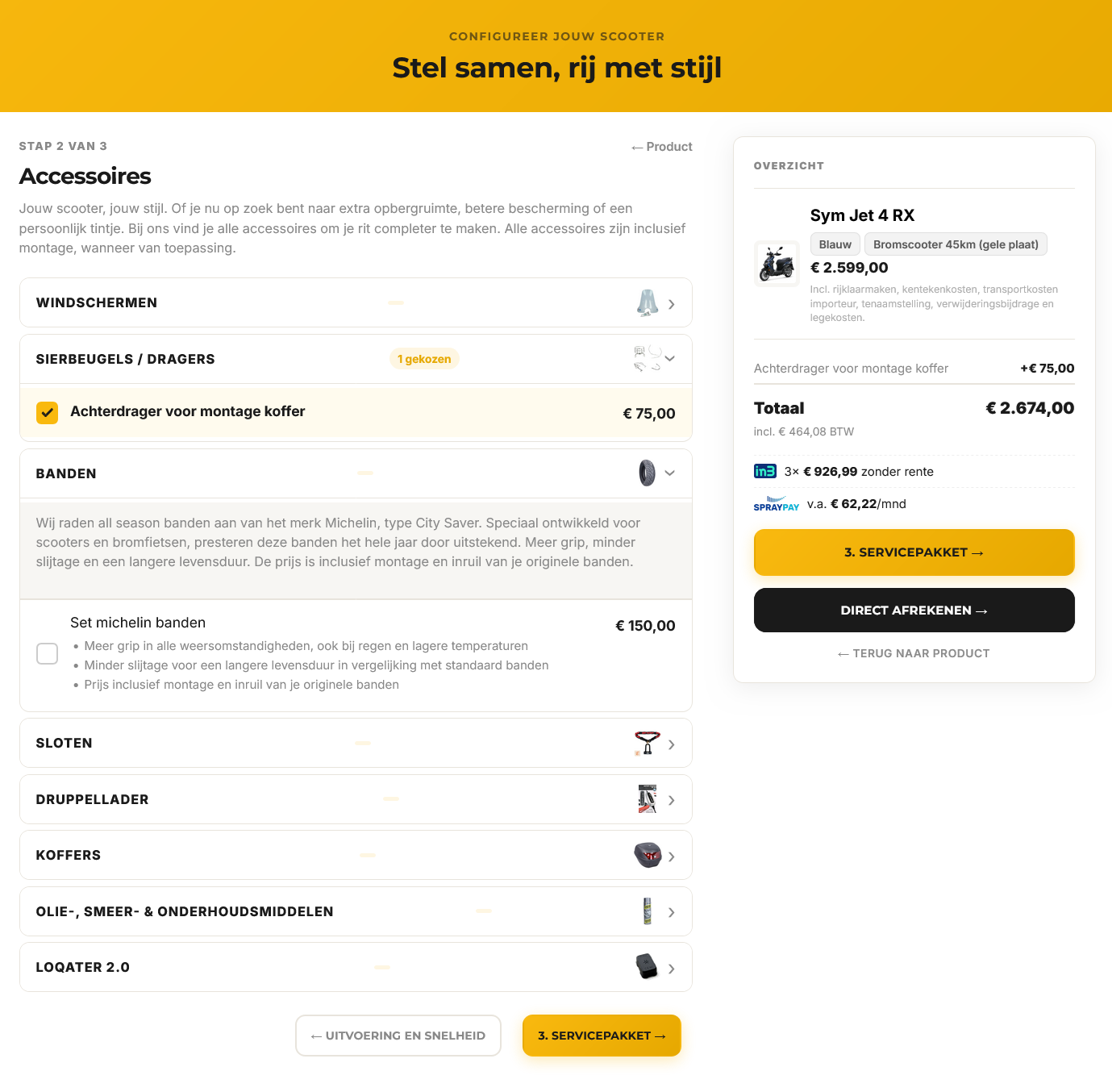
Each option group can be shown as an accordion, with clear labels and the number of selected items visible. Customers keep overview, even with many accessories.
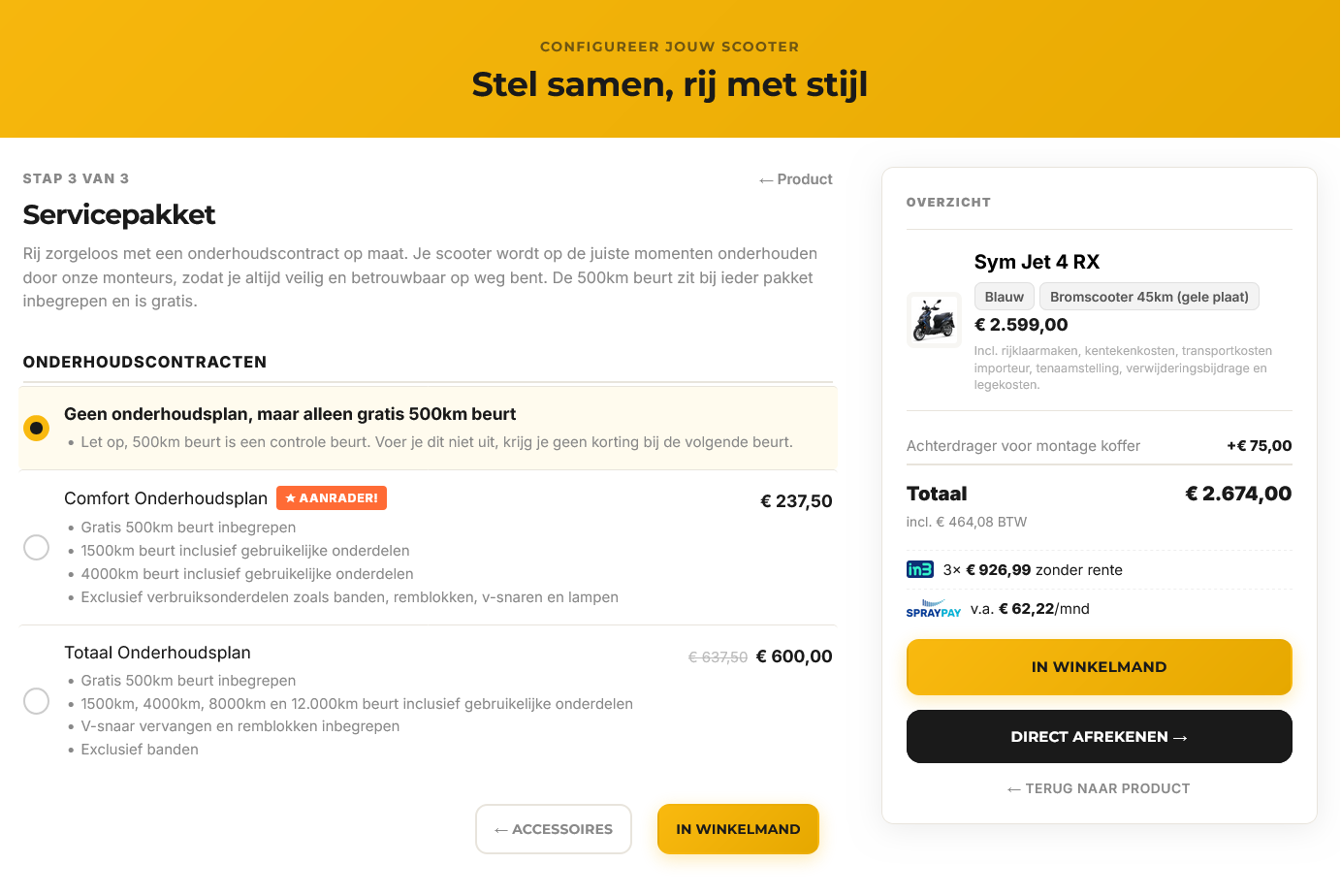
The final step: matching services like a maintenance plan. The total price including VAT, instalments and monthly payment is visible until the end. Check out directly or go back to a previous step at any time.
Here is what it looks like behind the scenes. Clear, without complicated configuration screens.
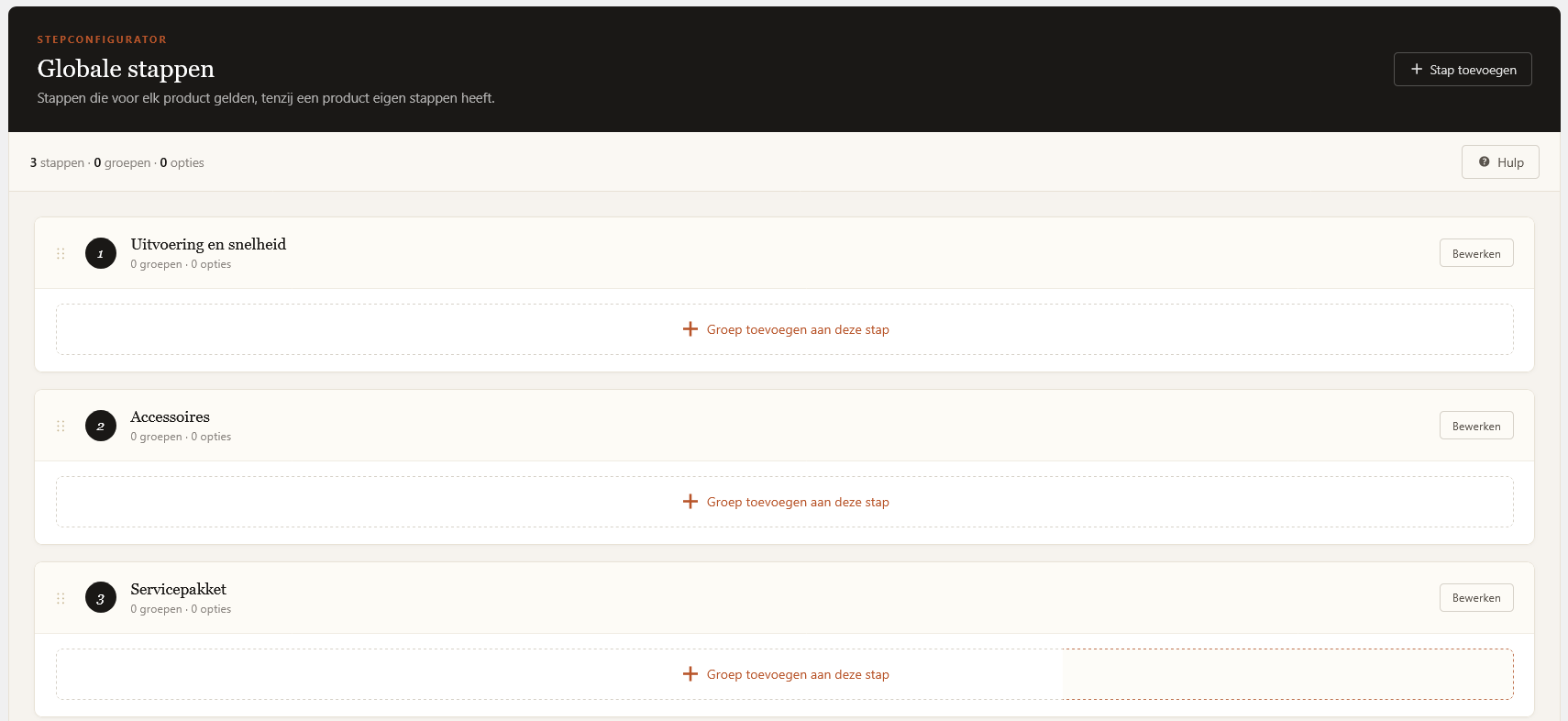
Manage the default steps that apply to all products. Drag-and-drop to reorder, add or edit groups. Any product can override these with its own steps when needed.
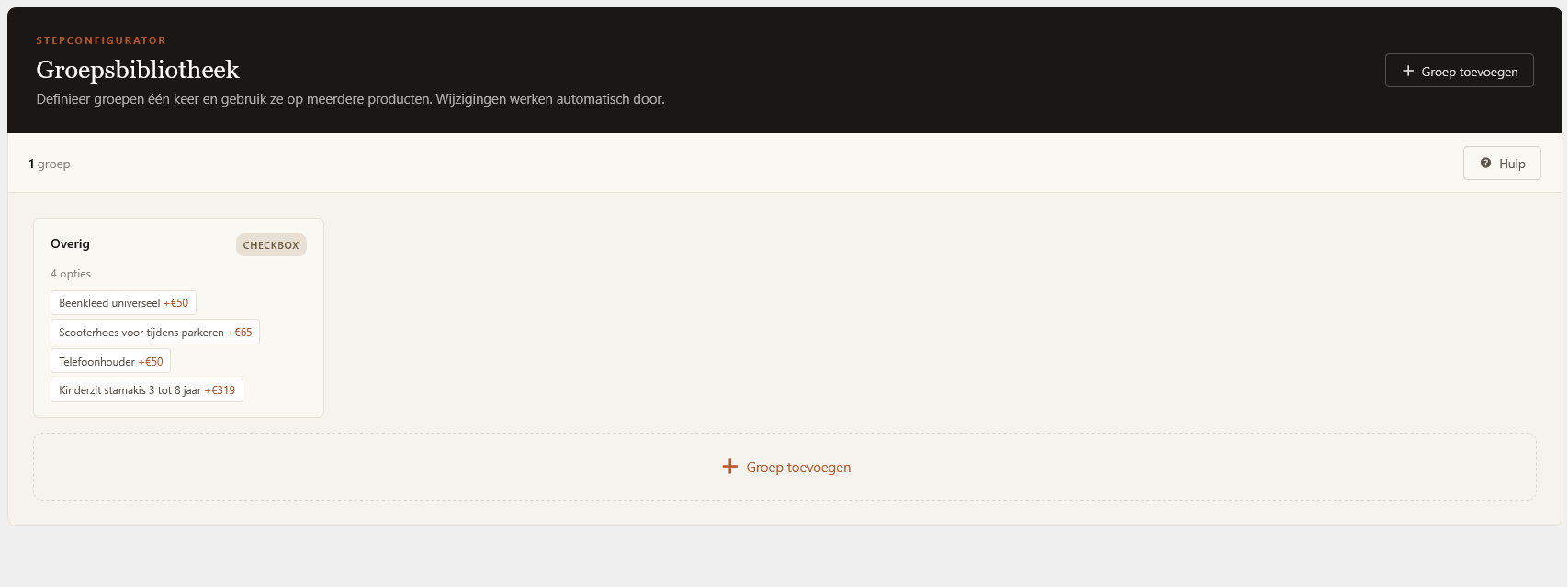
Create option groups once and reuse them across multiple products. Edit a group and the changes propagate automatically to every linked product. Perfect for accessories that fit multiple models.
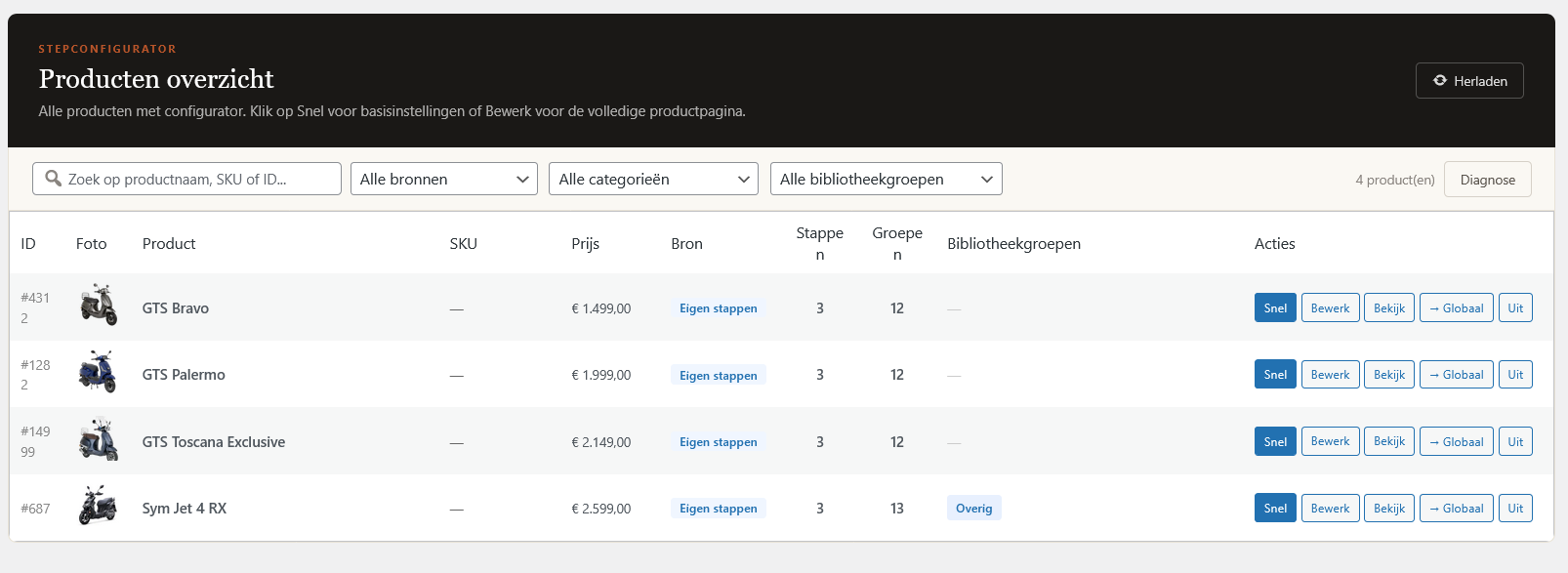
All WooCommerce products with the configurator at a glance. Filter by source (custom steps or global), category, or library group. Quick actions per product: edit, view, or convert to global steps in one click.
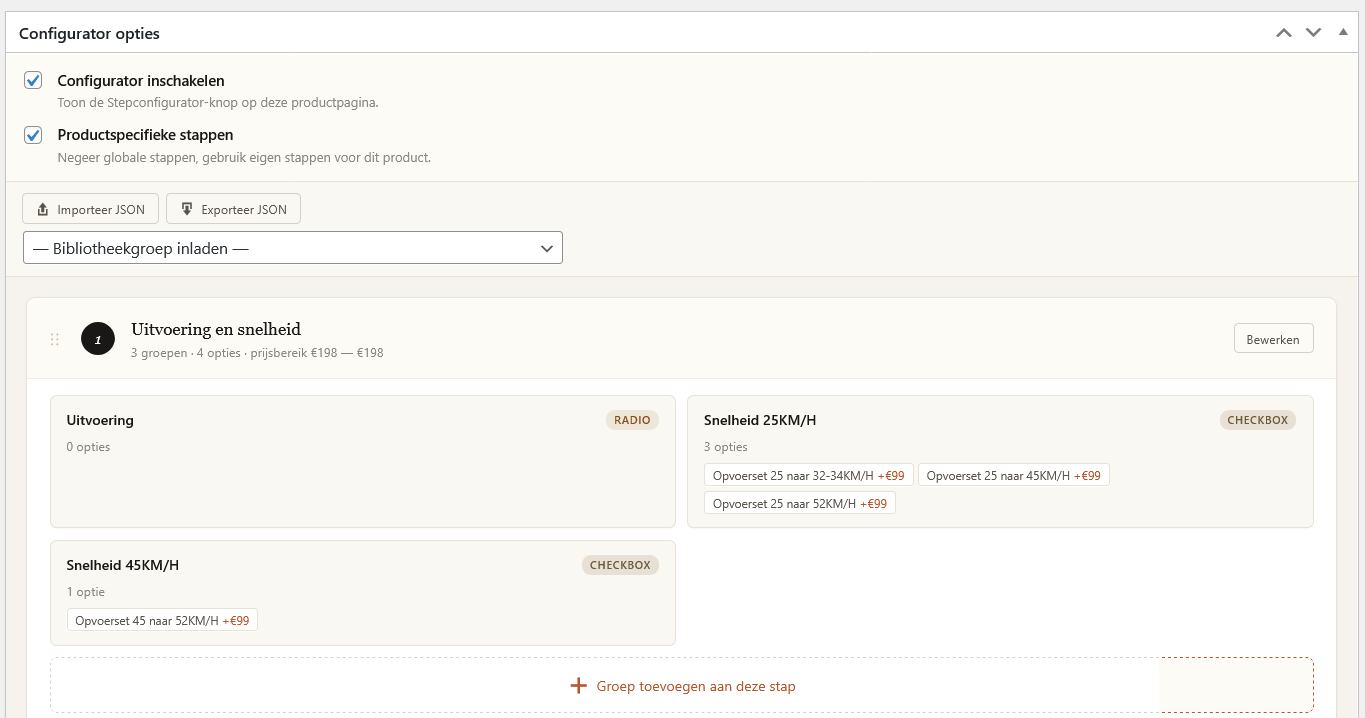
Define custom steps, groups and options per product. JSON import and export for backup or transferring to other products. The price range based on your configuration is shown directly.
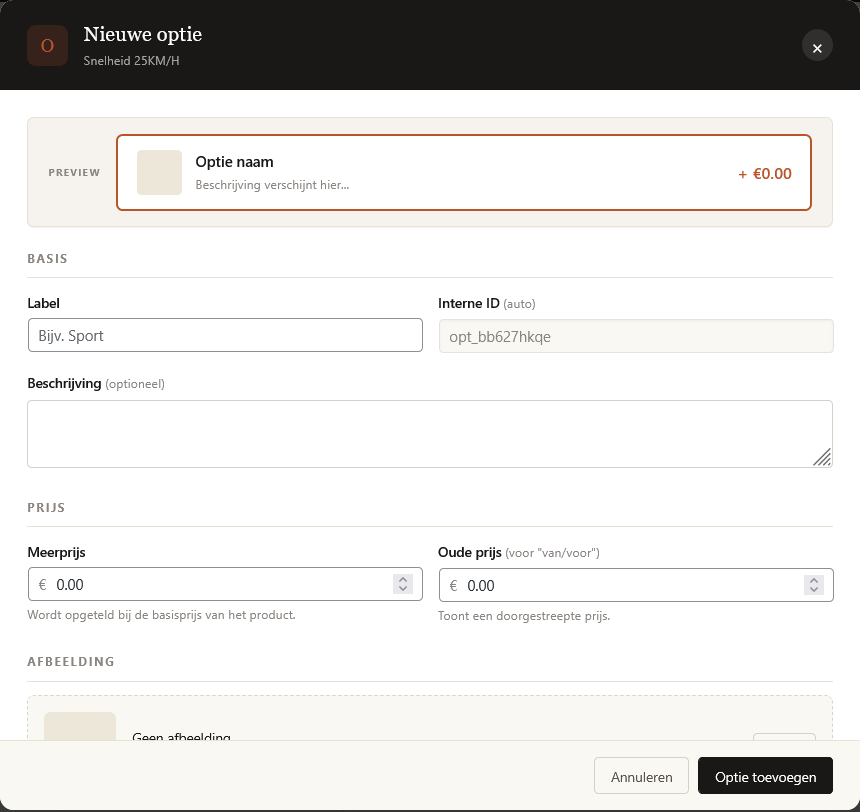
A clean modal for adding options with live preview. Name, description, surcharge and optional old price (for sale display). Upload an image for visual options like colors or trims.
Send a request directly or a message if you have questions.